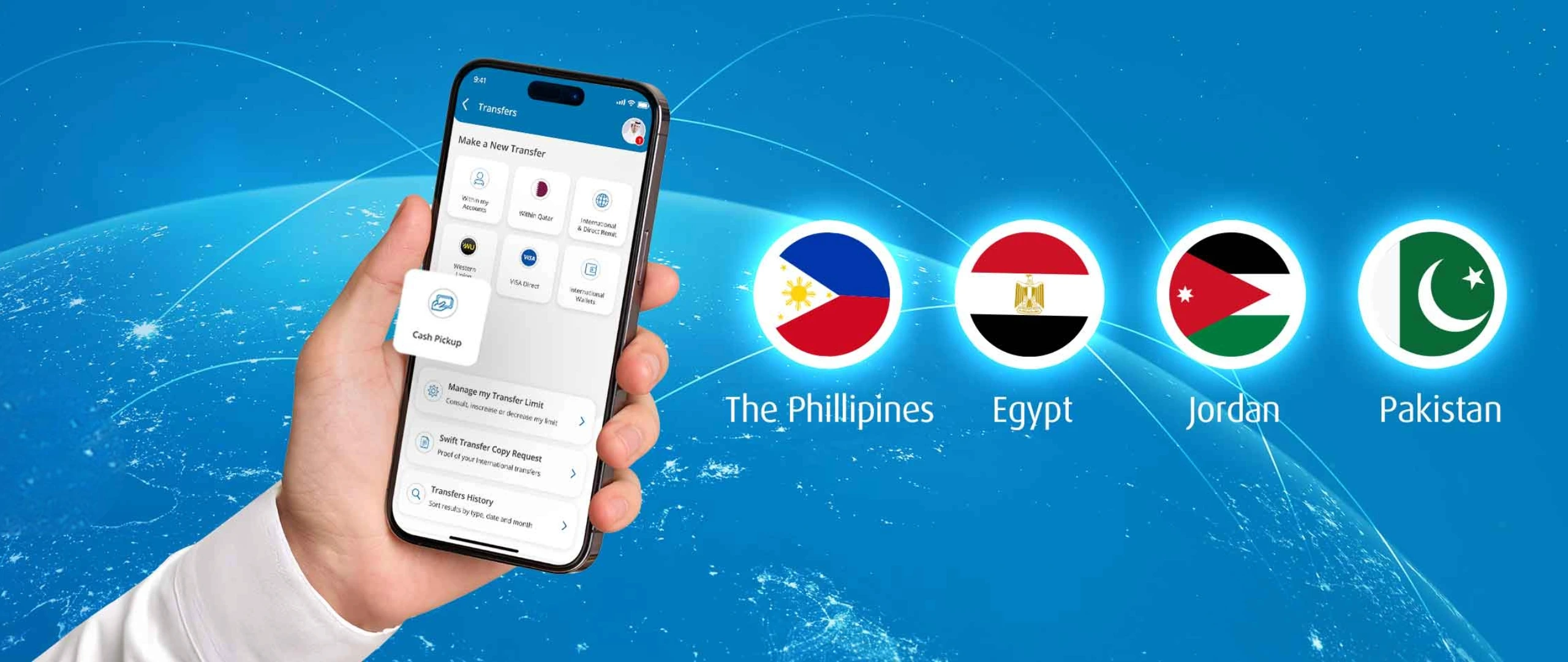
Cash Pickup Transfer

Send money abroad in minutes with QIB’s Cash Pickup Money Transfer services. Recipients can collect cash instantly from partner locations.

Cash Pickup Transfer details

  • Jordan
  • Pakistan
  • Philippines
  • Egypt

Now you can send money to Egypt instantly for cash pickup from any Banque Misr branch. Your recipient does not need a bank account.

How it works:

  • Login to the QIB Mobile App or QIB Lite App
  • Select International Transfer, then choose Cash Pickup Transfer.
  • Enter your recipient’s details and complete the transfer.
  • Your recipient can collect the cash from any Banque Misr branch by showing a valid ID.

Benefits:

  • Convenient: The recipient does not need a bank account.
  • Accessible: Cash pickup is available at all Banque Misr branches.
Terms and conditions apply. 

Now you can send money to the Philippines instantly for cash pickup from more than 22,000 agent locations, including all BDO Unibank branches. The beneficiary does not need a bank account.

How it works:

  • Login to the QIB Mobile App or QIB Lite App
  • Select International Transfer, then choose Cash Pickup Transfer.
  • Enter your recipient’s details and complete the transfer.
  • The recipient can collect the cash from any supported pickup point by showing a valid ID.

Benefits:

  • Flexible: Cash can be collected from multiple locations, including all BDO Unibank branches.
  • Simple: The recipient does not need a bank account.

Cash pick-up locations:

  • All BDO Unibank branches
  • Palawan Pawnshop
  • RD Pawnshop
  • Villarica Pawnshop
  • Cebuana
  • MLKP (M. Lhuillier Kwarta Padala)
Terms and conditions apply. 

Now you can send money to Jordan instantly for cash pickup from any Housing Bank for Trade & Finance (HBTF) branch. The beneficiary does not need a bank account.

How it works:

  • Log in to the QIB Mobile App or QIB Lite App
  • Select “International Transfer” and choose “Cash Pickup Transfer”
  • Enter your recipient’s details and complete the transfer
  • Your recipient can collect the cash from any Housing Bank for Trade & Finance (HBTF) branch using a valid ID

Benefits:

  • Convenient: The recipient does not need a bank account
  • Accessible: Cash pickup is available at all Housing Bank for Trade & Finance (HBTF) branches
Terms and conditions apply. 

You can now send money to Pakistan instantly for cash pickup at any Habib Bank Ltd branch. Your beneficiary does not need a bank account.

How it works:

  • Log in to the QIB Mobile App or QIB Lite App
  • Select “International Transfer” and choose “Cash Pickup Transfer”
  • Enter your recipient’s details and confirm the transfer
  • The recipient can collect the cash from any Habib Bank Ltd branch using a valid ID

Benefits:

  • Convenient: No bank account is required for the recipient.
  • Accessible: Available at all Habib Bank Limited branches.
Terms and conditions apply. 

  • You must be a QIB customer with access to the QIB Mobile App.
  • Provide full name, address, ID type and number, nationality, and mobile number (optional) of the recipient.
  • Recipient must present the ID with same Name used during the transfer to collect cash.
  • Transfers are made in local currencies or USD (for Egypt).
Currency conversion – Live foreign exchange rates

Current rate:

-

Transfer money using QIB App

Effortless money transfers in 5 simple steps QIB Cash Pickup Transfer

  • Step #1
    Log in to your QIB Mobile App (RMB) or QIB Lite App (LMB).
    Login screen showing login, register buttons, and help link.
    Step #1

  • Step #2
    Go to the correct section based on your app: on the QIB Mobile App (RMB), select the Transfers option, and on the QIB Lite App (LMB), select the Send Money option. Then choose Cash Pickup Transfer.
    Transfers dashboard listing transfer types, manage limits option, and navigation menu.
    Step #2

  • Step #3
    Register the recipient. A 30‑minute cooling period will apply before the recipient becomes active.
    Mobile app screen showing recipient registration details with personal info fields and confirmation button.
    Step #3

  • Step #4
    After activation, enter the recipient’s details.
    Mobile app screen showing transfer options after activation, including international and local transfer methods.
    Step #4

  • Step #5
    Review the information and confirm the transfer to complete the process.
    QIB Cash Pickup Transfer screen on a smartphone.
    Step #5

  • Step #6
    The recipient can collect the cash from a nearby partner location by showing a valid ID.
    Step #6

Advance security, safer transfers

Bank with confidence. QIB secures all your transactions with enhanced protection.

Icon showing lock representing security
Secure authentication
Feel secure every time you authorize a transaction with two-factor or biometric verification.
Person holding a payment terminal while another presents a card.
Transaction notifications

Be the first to know about account activity and unauthorised transactions.

Shield icon representing security and protection features.
Encryption
Experience secure money transfers with data encryption – a trusted shield for sensitive data.

FAQs

You can access this service through the QIB Mobile App under International Transfer. On the QIB Mobile App, it appears under the Transfers feature, while on the QIB Lite App, it is available under the Send Money feature.

Yes, you must be a QIB customer with access to the QIB Mobile App and Lite App to use our Cash Pickup services.

Yes, the recipient only needs a valid ID to collect the cash - no smartphone required.

Yes, based on the country you are transfer to:

1. Jordan – JOD 7,000/-

2. Egypt – EGP 1 Mn & USD 20,000/-

3. Pakistan – PKR 1.2 Mn

4. Philippines – PHP 500,000/-

Transfer limits apply and may vary based on your customer profile and destination country.

Yes, you can view the transfer status through the QIB Mobile App.

Yes. You can cancel the Cash Pickup transfer if the recipient changes their mind or for any other reason. The cancellation option is available within the app, and once cancelled, the amount will be returned to your account.