
QIB Accounts

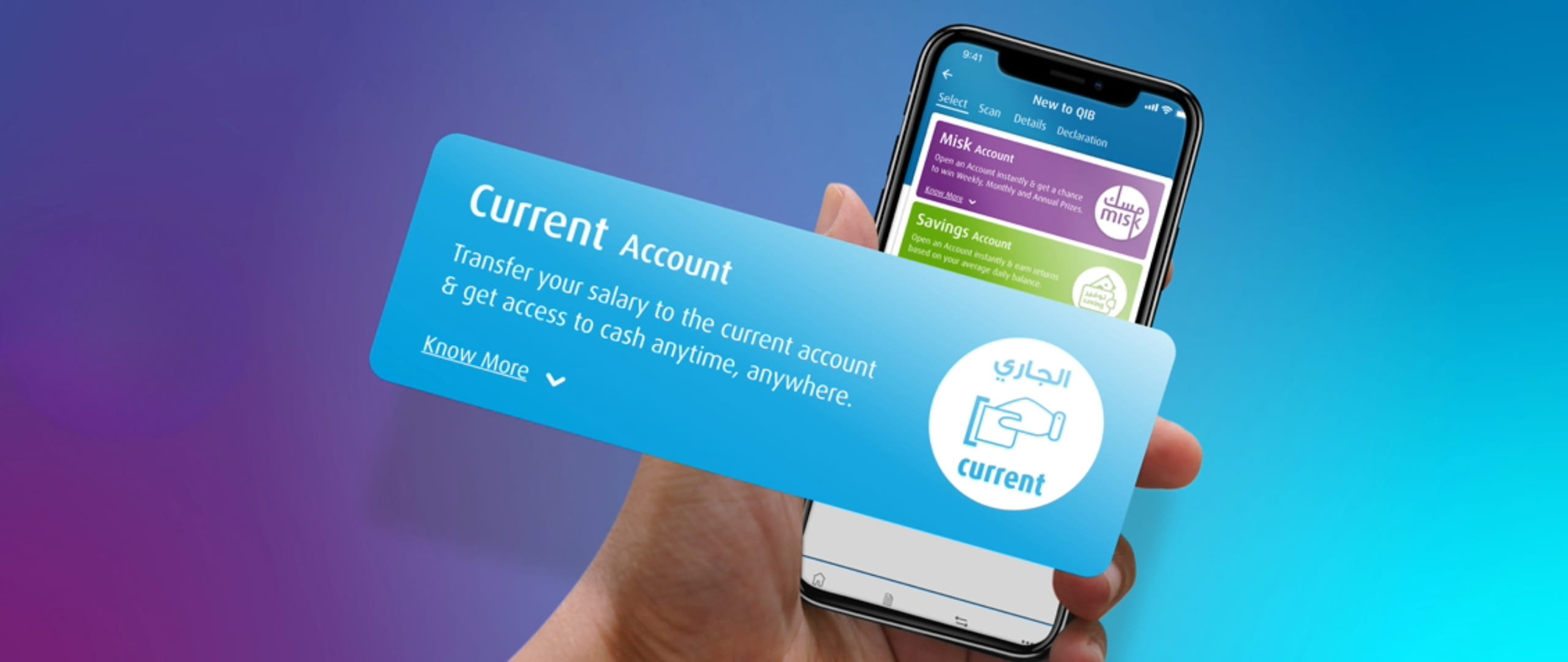
Open your preferred account - Savings, Current, or Deposit - anytime, anywhere with the QIB Mobile App.

Hero banner introducing available account products.
An account for every need

Smart banking options designed to match your financial goals.
Individual standing outdoors using a mobile application.

Don’t know which account type suits you best? Let us guide you. 

Answer a few simple questions and discover the perfect account that aligns with your financial goals and lifestyle. Start your journey towards optimized banking today!

Open an account with QIB in 4 easy steps
  • Step 1
    Get started
    App listing screen showing bank app details, ratings, version info, and preview.
    Step 1

    Download the QIB Mobile App. Tap “Open a New Account Instantly”. Select your desired online bank account from the list.

  • Step 2
    Update personal information
    Account opening step showing salary certificate upload with progress indicator and upload button.
    Step 2

    Upload your Salary Certificate, scan your QID (& passport if expat), review your details, and take a quick selfie for verification.

  • Step 3
    Provide your details
    Residence information form showing address fields and save button.
    Step 3

    Update your residence, email, employment, and income information. Capture your signature and choose your preferred branch.

  • Step 4
    Activate your account
    Debit card request step showing card name entry and delivery options.
    Step 4

    Enter your name for the Debit Card. Choose a delivery option, fill in the tax form, set your mobile banking, & verify it with OTP.

  • Step 1
    Account opening step 1 in English requesting upload of salary certificate with upload button.
    Step 1

    Login to the QIB Mobile App. Tap 'More' on the footer menu. Select 'Apply for Products.'

  • Step 2
    Account opening step 1 in English requesting upload of salary certificate with upload button.
    Step 2

    Tap 'Open Additional Account' under 'Account Products.' Choose your preferred account option and set it up accordingly.

  • Step 3
    Debit card request screen in English showing card name entry and delivery options.
    Step 3

    Review all the details carefully. Accept the Terms & Conditions. Confirm to open your desired account.

Learn More
Elevate your banking experience

Choose the banking path that aligns with your lifestyle and goals.

Private Banking

Offering personalized, shari’a compliant financial and investment solutions to preserve and grow your wealth with trust and discretion.

Explore our Private Banking

Tamayuz Banking

Experience priority banking, get immediate support, exclusive banking access, and expert financial recommendations to grow your money.

Explore our Tamayuz Banking

Essential Banking

Enjoy easy account access, secure transactions, and convenient digital tools with QIB Essential Banking.

Explore our Essential banking
Open, grow, and stay in control

With QIB, managing your money is simple and stress-free. Our accounts are designed to help you save, grow, and achieve your financial goals - every step of the way. 

Icon showing percentage symbol

Competitive profit rates

QIB offers great returns on savings and deposits, helping your money grow steadily and securely. 
Icon showing lock and key representing access security

Diverse account options

Catering to different customers' needs, ensuring a fit for every financial situation 
Corporate photo of two representatives standing before branded backdrop.

Digital banking solutions

Manage your accounts anytime, anywhere with QIB's mobile and internet banking. 
Icon showing gift representing rewards or offers

Exclusive rewards and offers

Enjoy unique rewards and special offers designed just for QIB account holders. 
Icon showing camera symbol used for capture action

Robust security

QIB protects your account with advanced security features to keep your money safe. 
Icon showing headphones representing customer support

Dedicated customer support

Our support team is available 24x7 to help whenever you need assistance.
Banking packages for every milestone

Explore our tailored banking packages and find your perfect financial fit. 

Banner promoting Bedaya savings account.

Empowering the leaders of tomorrow

At QIB, we help you stay worry-free by supporting your children’s academic journey.

Explore Our Student Packages
Banner promoting domestic worker account product.

Banking for domestic workers

Enjoy secure, fee-free banking with instant access to essential services - no branch visit needed.

Explore Domestic Workers’ Accounts
Banner promoting payroll account offering.

For Payroll

Secure and convenient salary account for worker earning under QAR 5,000  

Explore Our Payroll Packages

Protect yourself from fraud

Your security is our top priority. Learn how to spot scams and protect your personal information with simple tips that help you bank with confidence. 

Keyhole icon representing access, privacy, or security concept.

Private information

Keep your info private: Never share passwords, PINs, or OTPs.

Shield icon with slash representing disabled protection or blocked security.

Recognize spam

Spot suspicious messages: Ignore unexpected emails, calls, or links asking for sensitive details.

Seal icon with question mark representing verification or inquiry.

Verify contact

Confirm before you share: Always verify the identity of the person or organization before responding.

What would you like to know?

Expert guidance tailored to fulfil your banking needs with ease